














You've memorised every camera angle of Freddy Fazbear's Pizza, but do you have the courage to face that nightmare when every shadow, metal scratch, and the gaze of the animatronics are recreated in stunning detail?
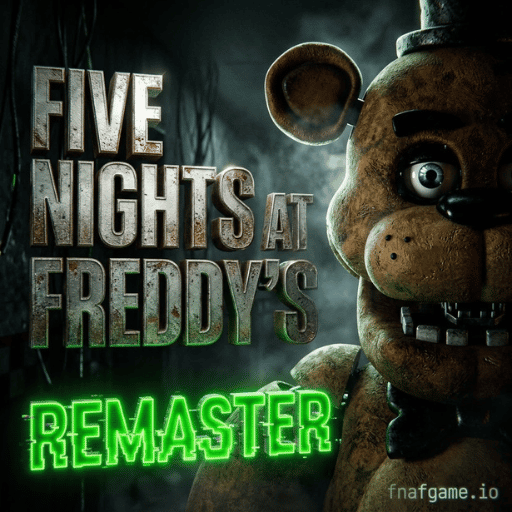
Five Nights at Freddy's Remaster brings the legendary survival horror experience to your HTML5 web browser with comprehensively upgraded graphics. Maintaining the same breathtaking pace from midnight to 6 AM, the Remaster version pushes the tension to the extreme with realistic shadow effects and immersive surround sound. Play in your browser on our website - no heavy downloads and installs. Get behind the wheel and play the scariest night shift now!
Breakthrough Upgrades of the Remastered Version Compared to the Original
Unlike regular FNAF games, Five Nights at Freddy's Remaster on the WebGL platform offers a significant transformation in terms of audiovisuals and responsiveness:
- Dynamic Lighting & Shaders: The guard room is no longer a monotonous static scene. The flickering hallway lights, the flickering electrical sparks, and the shadows of Bonnie or Chica outside the window are rendered with depth, creating a suffocating feeling as if you were actually sitting in the guard room.
- Smoother Animatronics: Every head turn on the camera, Foxy's frantic running down the left hallway, or the jumpscare are all remade with a higher frame rate, eliminating the jerky feeling of the old version.
- 3D Directional Audio Cues: Chica's heavy footsteps, the clatter in the kitchen, and Freddy's deep, guttural laughter are clearly channelled, allowing players wearing headphones to accurately predict the monster's approach without having to open the camera too much.
Instructions & Survival Tips in Five Nights at Freddy's Remaster
Master Controls & Remastered Survival Guide
Master these security console controls and power-saving mechanics to survive all nights in the FNAF Remaster:
| Control / Action | Office Function | Pro Survival Tip |
|---|---|---|
| Mouse Pan / Hover | Pan office view & flip camera monitor. | Flip the monitor up and down in quick 1-second bursts to check Foxy without draining power. |
| Red Door Buttons | Seal left or right blast doors. | Always close the RIGHT door before opening cameras in Night 4+ to block Freddy from sneaking in. |
| White Light Buttons | Illuminate doorway blind spots. | Check both hallway lights immediately after closing the camera monitor; never hold the light on. |
| CAM 1C & CAM 4B | Lock Foxy & Freddy's movement. | Keeping your camera locked on CAM 4B (East Hall Corner) freezes Freddy in place even when checking other rooms. |
Dead End Tactics to Conquer Night 5 in the Remaster
In the Remaster version, the AI of the animatronics reacts very sensitively on the final nights. Apply the expert's 3-step process to keep your battery above 15% until 6 AM:
- Fix the camera at CAM 4B (right hallway corner): In the game's mechanics, as long as your camera is already selected at CAM 4B, every time you turn on the monitor, Freddy will be "frozen" at the hallway corner and unable to sneak into the room even if you don't close the right door.
- Control Foxy with monitor on/off rhythm: You don't need to directly tap CAM 1C (Pirate Cove) to restrain Foxy. Simply turning on the camera screen at any square is enough to slow Foxy's progress in lifting the curtain. Combine the following actions: Turn on camera (CAM 4B). -> Lower camera -> Flash left light -> Flash right light.
- When you see the Easter Egg Golden Freddy (CAM 2B): If you see the golden bear head poster on CAM 2B's wall and hear children's laughter, turn back to the camera as soon as you lower it down to fend off the being before the game crashes.
Discover more exciting games at Fnafgame.io.
Once you've enjoyed the new graphics of Five Nights at Freddy's Remaster, consider some other decorative spinoffs of the system:
- Five Nights at Fazbear's Online: Play the old original classic like they used to.
- Five Nights at Frickbear’s 3: Reverse the rules – play as the main Animatronic monster hunting the night watchman in the dark.
- Five Nights at Robby's: A breathtaking fusion of FNAF duty room mechanics and Robby the Chainsaw Monster from the Roblox Piggy world.
- FNAF 2: Relieve stress with a humorous cooking simulation game as chef Freddy Fazbear.
FAQ - Frequently Asked Questions
Q: Is the Five Nights at Freddy's Remaster web remastered version much heavier than the normal one?
A: The game uses a little bit more WebGL graphics memory because of its high-resolution lighting and texture effects. To get a steady 60 frames per second, you should turn on hardware acceleration and close any unused browser tabs.
Q: Why is Freddy on me even when the door is closed?
A: If you leave open the camera screen for too long in the remastered version (and don't close the door if Freddy is in the corner of the hallway – CAM 4B), then he can sneak up into the room and wait until you lower the camera to attack you.
Q: How do I activate Custom Nite?
A: Just so you know, you need to complete all 5 official play nights (Night 1 - Night 5) and the 6th overtime night (Night 6) before you can edit each character's aggression rate (0-20) in the respective playnight panels.
Ready to experience FNAF Remaster now?
Five Nights at Freddy's Remaster isn't just a shiny new coat of paint but a new scary lease on life for a horror classic. Every whir of a fan, every flicker of a light, every silhouette in a window – enough to keep the heart a'palpitating for a solid 6 hours.
The clock has just struck twelve in the morning, and the camera has begun! Put on your headphones, hit the "Play" button above, and demonstrate your abilities as the top security guard at Freddy Fazbear's Pizza right now!