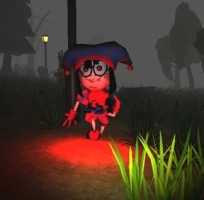












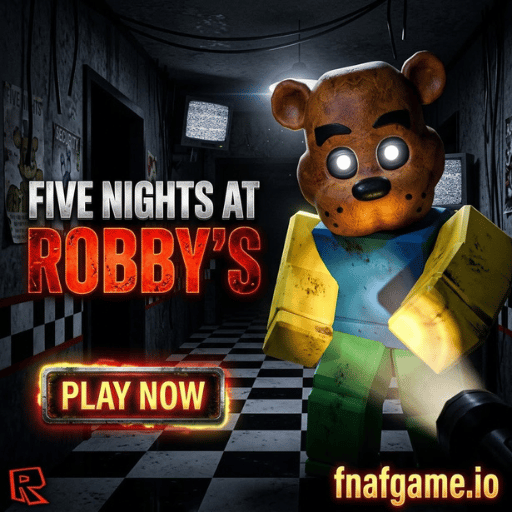
Do you have the courage to sit in the dark guard room, watching every camera frame and stopping the robot pig Robby before the clock strikes 6 AM? The explosive combination of two classic horror universes, Five Nights at Freddy's and Roblox Piggy, has created Five Nights at Robby's—a stealth survival game on the HTML5 web platform that's taking the gaming community by storm.
As an unfortunate night shift security guard, your only weapons are the security camera system, flashlights, and two automatic iron doors. No complicated downloads are required; play directly in your browser, put on your headset, stay alert, and survive five terrifying nights right in your browser!
Background & Hunting Mechanism of the Robby Animatronic
In Five Nights at Robby's, you'll experience the familiar, suffocating gameplay of the FNAF series, but with an entirely new and far more dangerous opponent:
- The Rise of Robby: Along with mutated entities in the style of Roblox Piggy, Robby—the semi-mechanical chainsaw pig—will constantly move through hallways, ventilation shafts, and storage rooms to reach your office.
- Power Management: Every action, such as checking security cameras, turning on hallway lights, or closing the security gate, consumes a certain amount of power. If the power runs out before 6 AM, the entire system will shut down, and you'll become Robby's effortless prey!
How to play and control the game Five Nights at Robby's
Master Controls & Security Night Guide
Master these keybinds and security monitoring manoeuvres to outsmart Robby and survive until 6 AM:
| Control / Action | Security Function | Pro Survival Tip |
|---|---|---|
| Mouse Hover / Click | Look around the office & open the camera monitor. | Move the mouse to the bottom edge to toggle the monitor quickly; don't leave the camera open for too long. |
| Door Buttons | Close left/right security doors. | Close doors ONLY when Robby is standing at the blind spot window to save precious battery. |
| Light Buttons | Check hallway blind spots. | Flash lights briefly before opening closed doors to confirm if the animatronic has left. |
| Space / Vent (If active) | Reset ventilation / audio decoy. | If ventilation fails, blackouts occur faster. Fix systems immediately upon error alerts. |
Survival Tips for Five Nights at Robby's
To avoid ending your security career at 5 AM, remember these survival tactics:
- Create a 3-step checking rhythm: Turn on the camera to check Robby's location -> Quickly turn the left light on the camera -> Quickly turn the right light on the camera. Repeat this cycle rhythmically and don't stare blankly at the camera screen for more than 3 seconds.
- Quickly close the door: As soon as you see Robby's silhouette at the corner window, immediately close the door. After 5-7 seconds, check again; if he's gone, open the door immediately to save power.
- Save power for the final stage: From 4 AM to 6 AM is when Robby moves at maximum speed. Try to conserve at least 35% battery power before reaching 4 AM.
Explore Games in the Roblox & FNAF Ecosystem
Don't miss other popular horror games ready to experience at Fnafgame. io:
- Digtal Circus Horror: Explore 100 haunted hotel doors and conquer the shadowy entities. Seek & Rush.
- Five Nights at Frickbear’s 3: Reverse roles—become a monster hunting the security guard in a pizza restaurant.
- Five Nights at Golden Freddy's: A fierce 3D shooting arena battle between Freddy and Granny.
FAQ – Frequently Asked Questions (People Also Ask)
Q: Does the Five Nights at Robby's HTML5 web version lag?
A: The game is designed on optimised WebGL source code, running smoothly at 60 FPS on all browsers (Chrome, Edge, Safari, Firefox) without consuming excessive hardware resources.
Q: How to prevent mouse slippage when turning on lights and opening the camera?
A: Click on the game frame to activate the Pointer Lock API. To exit, simply press the ESC key.
Q: Does the game save your night progress (Night Checkpoint)?
A: The game automatically saves your progress through the night to your browser's local storage. Do not clear your browser cache if you want to continue Night 3 or Night 4 the next day.
Test your skills as night falls at Five Nights at Robby's.
Five Nights at Robby's is the perfect combination of the tense atmosphere of FNAF 3 and the terrifying visuals of Roblox Piggy. The game will challenge your nerves, multitasking abilities, and reflexes under immense time pressure.
The chainsaw is blaring in the hallway, and the clock has just struck 12 AM! Press the "Play" button at the top, grip the controller tightly, and start your life-or-death shift now!